Disclaimer: This post was written without the help of AI. Research for the self hosting setup (which docker images to use, Jellyfin vs. Plex) and the creation of initial configurations (docker-compose, wireguard) were supported by AI (among others like e.g. Reddit, Stackoverflow)
How It All Started
If you don’t care about my motivations and are only interested in the technical setup just directly jump to Self Hosting Setup!
Spotify Price Increase
In August 2025 Spotify announced a price increase in Germany. I received a friendly message that while I was a valued Premium subscriber, my subscription price would change (some might say increase):
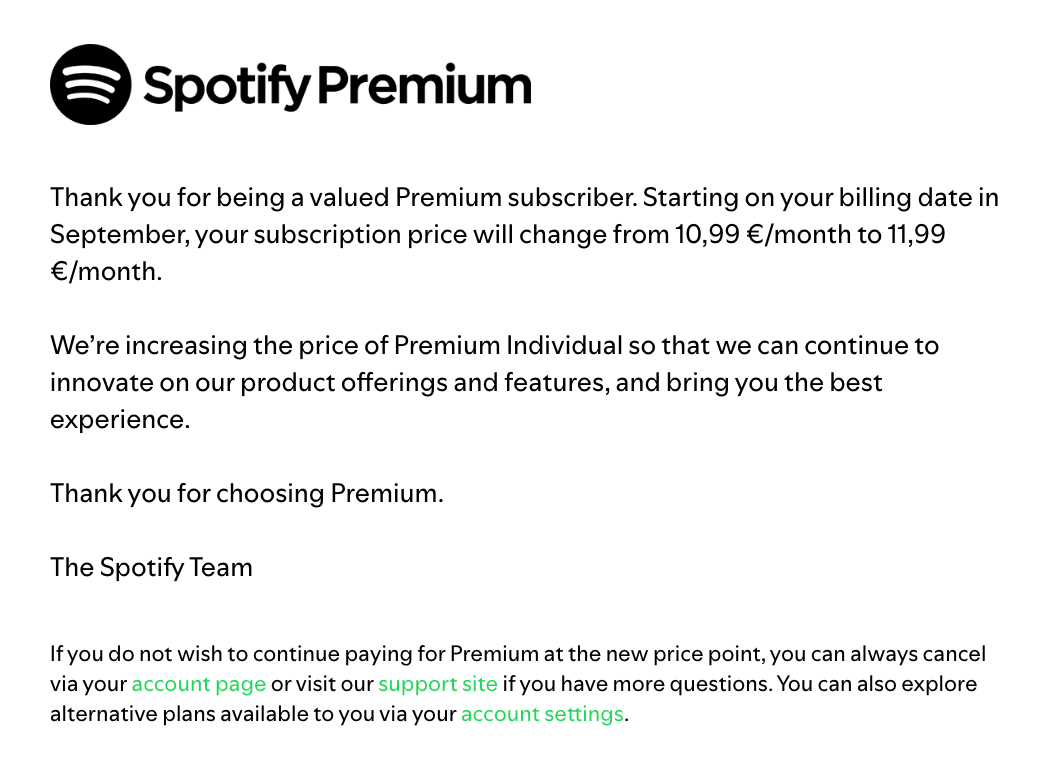
For the time being I decided to sit it out. So November 2025 arrived and my Premium membership ended.
I decided to give Spotify’s free plan a try. How bad can it be? I had used the free tier 10 years ago and it was perfectly fine. How wrong I was!
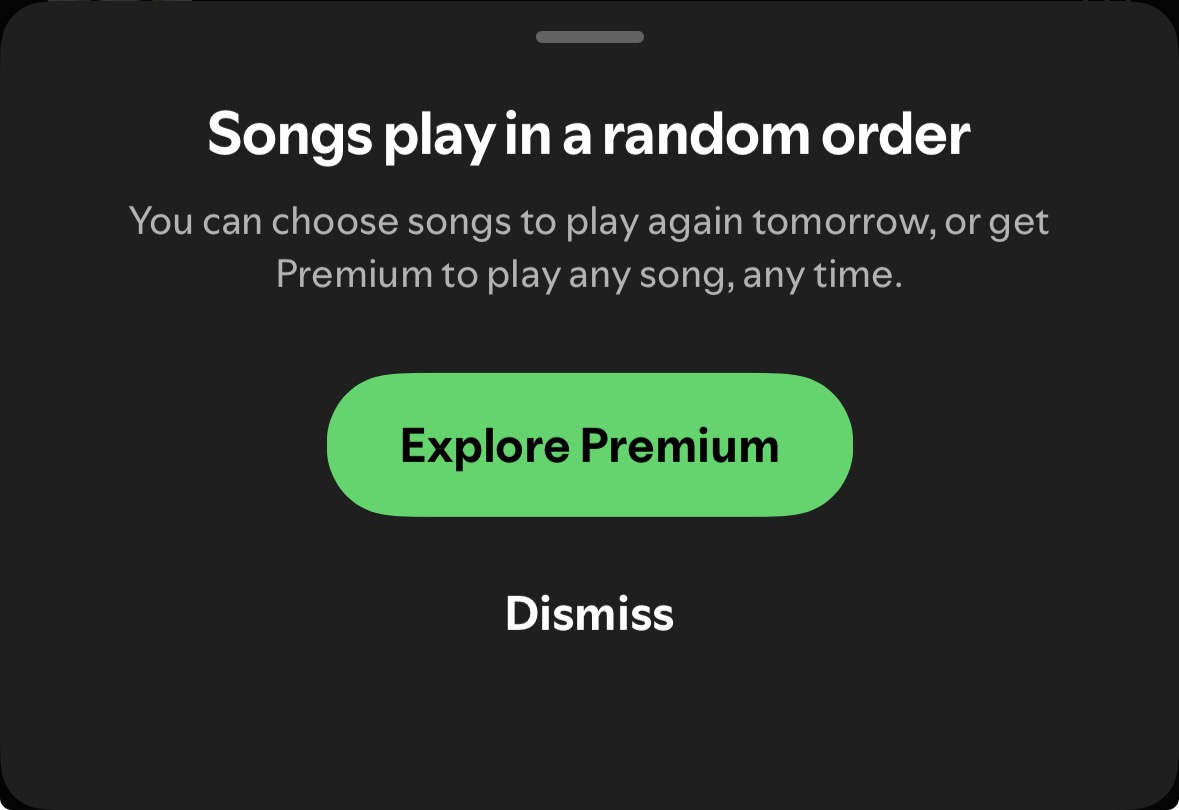
The free tier forces shuffle after a certain amount of free choices. So while the tier might be free, your song choice is not. Although there are reports that Spotify supposedly got rid of this feature as of September 2025, I still encountered this restriction as of end of December 2025
It’s not possible to scrub the song’s progress bar
I don’t remember these restrictions being in place back in the day, but I may be wrong. It might be a case of enshittification of the free tier?
Okay, fair enough: Companies need to make money, I’m not entitled to Spotify providing their services for free! For all those services I still pay for I certainly get an awesome user experience?
Not so fast…
Across All Streaming Services: Less Value For More Money
Across all streaming services I have noticed a decline in user friendliness, UX & UI.
Price increases
All streaming services have seen price increases and / or introduced ads. I get it, companies need to make money. My day job consists of helping companies increase their revenues, it pays my bills!
The issue: These price increases are accompanied by a worse UX/UI. From a user perspective my interest lies in getting the best value for money!
Ads
Amazon Prime introduced ads to an already paid service. This is a noticeable worse user experience. Netflix introduced a paid plan with ads. At least for me YouTube advertises mostly mobile games & obvious scams (ever gotten one of these terrible liven app ads?)
UI
In May 2025 Netflix introduced a new UI. It’s a matter of taste and while some people may like it, I find it much worse.
Cracking Down on Password Sharing
Disney+ followed Netflix and cracked down on password sharing. This is a de facto price increase for many.
Self Hosting Setup
So I decided to give self hosting a try. I’ve followed the awesome selfhosted subreddit for a while anyway and own a collection of shows, movies & music anyway.
Deployment: Hetzner VPS
Instead of going with my own hardware I decided to go with a VPS from Hetzner. I chose a CAX21 with 4 VCPUs, 8GB RAM, 20 TB of traffic included and 80 GB of SSD storage.
Storage: Hetzner Storage Box
While I could use the server’s SSD to store my media, I decided to use Hetzner’s Storage Box. This way I can easily mount my media library on my Macbook via SMB.
Media Server: Jellyfin
I opted to use the open source Jellyfin as my media server. Plex would be an alternative but it appears to have fallen out of favour and blocks Hetzner anyway, so it would not work for me anyway.
Remote Access: VPN Tunnel via WireGuard
To access my VPS remotely either from home or on the road I use WireGuard:
Home network: My FRITZ!Box router lets me easily add a WireGuard configuration to my home network. This way any device in my home network can access my media network without having to run a VPN. This is especially useful for accessing Jellyfin on my LG webOS TV as there’s no easy way to connect my TV to WireGuard directly
On the road: Simply install WireGuard on your device. You will need to create a client configuration for each of your devices
Server Config
[Interface]
Address = 10.13.13.1/24
ListenPort = 51820
PrivateKey = {{ wireguard_server_private_key }}

PostUp   = iptables -A INPUT -i wg0 -p tcp --dport 8096 -j ACCEPT; iptables -A FORWARD -i wg0 -j ACCEPT
PostDown = iptables -D INPUT -i wg0 -p tcp --dport 8096 -j ACCEPT; iptables -D FORWARD -i wg0 -j ACCEPT

[Peer]
PublicKey = {{ wireguard_client_public_key }}
AllowedIPs = 10.13.13.2/32

[Peer]
PublicKey = {{ wireguard_client_public_key_iphone }}
AllowedIPs = 10.13.13.3/32

[Peer]
PublicKey = {{ wireguard_client_public_key_fritzbox }}
AllowedIPs = 10.13.13.4/32
Peers
In my WireGuardserver config I currently have three devices added as peers:
- My Macbook (
wireguard_client_public_key) - My iPhone (
wireguard_client_public_key_iphone) - My FRITZ!Box router (
wireguard_client_public_key_fritzbox)
Each device has its corresponding private key stored inside its WireGuard configuration / app. The AllowedIPs only allows the corresponding peer to use this internal IP address. On your device (router, notebook, mobile phone, …) you’ll need to assign this IP address as the interface section.
Let’s dive a bit deeper into the interface block.
Interface
Configuration for the network interface created on the server.
Address = 10.13.13.1/24: This is the address of the Hetzner server in our VPNListenPort = 51820: UDP port number the WireGuard server listens on for incoming VPN connectionsPrivateKey = {{ wireguard_server_private_key }}: WireGuard uses this private key to identify itself to clients (via the public key which is shared)PostUp / PostDown: Port forwarding - we allow WireGuard to forward incoming traffic
Client Config
Here’s an example how a client config on my Macbook looks like:
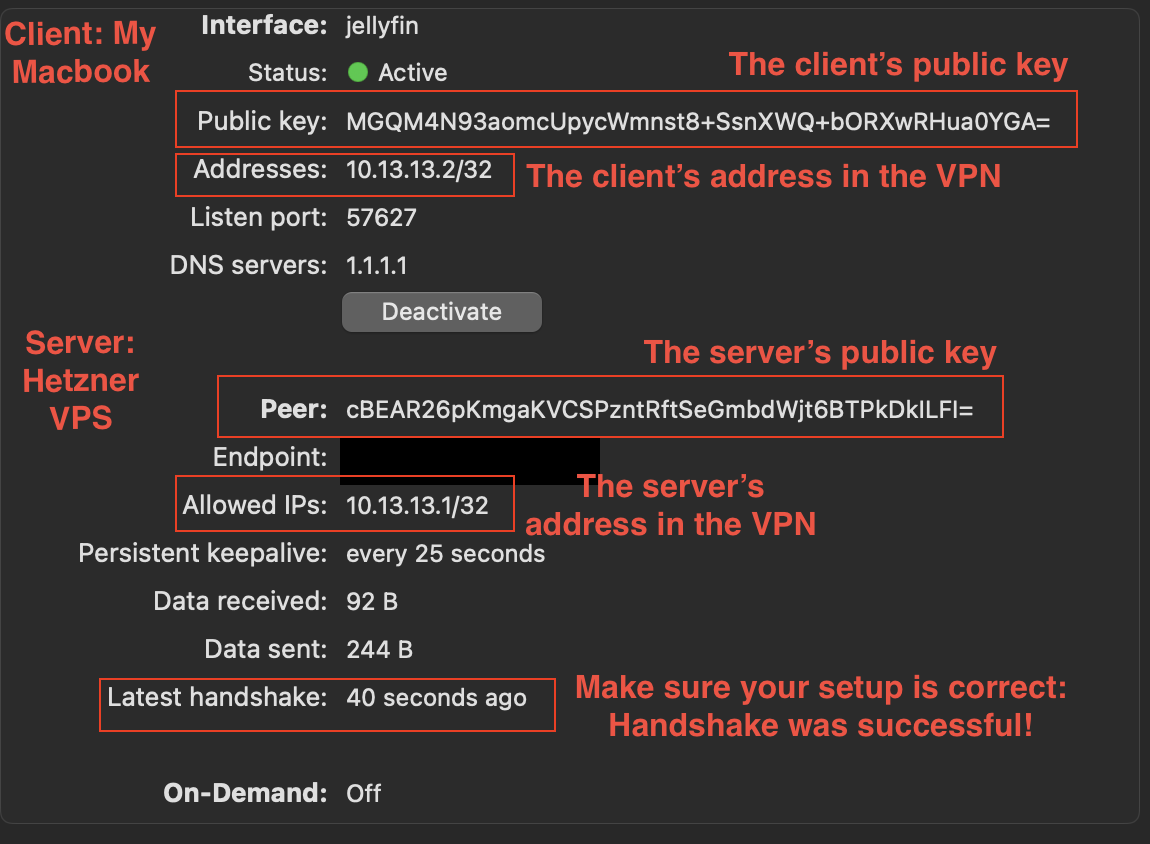
You’ll have a separate configuration for each of your devices.
Docker Compose
And finally here’s the compose config for the actualy deployment on the VPS:
version: "3.9"

services:
  wireguard:
    image: linuxserver/wireguard:latest
    container_name: wireguard
    cap_add:
      - NET_ADMIN
      - SYS_MODULE
    environment:
      - PUID=1000
      - PGID=1000
      - TZ=Etc/UTC
      - SERVERPORT=51820
      - SERVERURL=<SERVERS-IP-ADDRESS>
    volumes:
      - ./wireguard/config:/config
      - /lib/modules:/lib/modules:ro
    ports:
      - "51820:51820/udp"
    sysctls:
      - net.ipv4.conf.all.src_valid_mark=1
    restart: unless-stopped

  jellyfin:
    image: jellyfin/jellyfin:latest
    container_name: jellyfin
    network_mode: "service:wireguard"
    user: 1000:1000
    volumes:
      - ./jellyfin/config:/config
      - /mnt/storagebox:/media:ro
    environment:
      - TZ=UTC
    restart: unless-stopped
    depends_on:
      - wireguard
Some notes:
- Wireguard:
51820:51820/udp: We only expose WireGuard UDP port
- Jellyfin:
/mnt/storagebox:/media:ro: Mounting my Hetzner storage box with my media library into the containernetwork_mode: "service:wireguard": Shares the WireGuard container’s network stack
So Is Self Hosting a Alternative to Streaming Services?
It depends. My personal media library isn’t big enough that it could rival any of the streaming services libraries. You also need to put in the work to get your self-hosted setup running which non-technical people won’t do, and even for technical people it might not be worth it. For me personally it’s totally worth it!